Stay ahead of maintenance
See overdue, due-today, and upcoming work at a glance. Flexible schedules and reminders help you stay on track.
 TMIGA HomeKeeper
HOME MAINTENANCE, ORGANIZED
Keep maintenance tasks, home items, service records, and important documents together—so nothing falls through the cracks.
The App Store download link will appear here once the app is approved.
A CLEARER WAY TO CARE FOR YOUR HOME
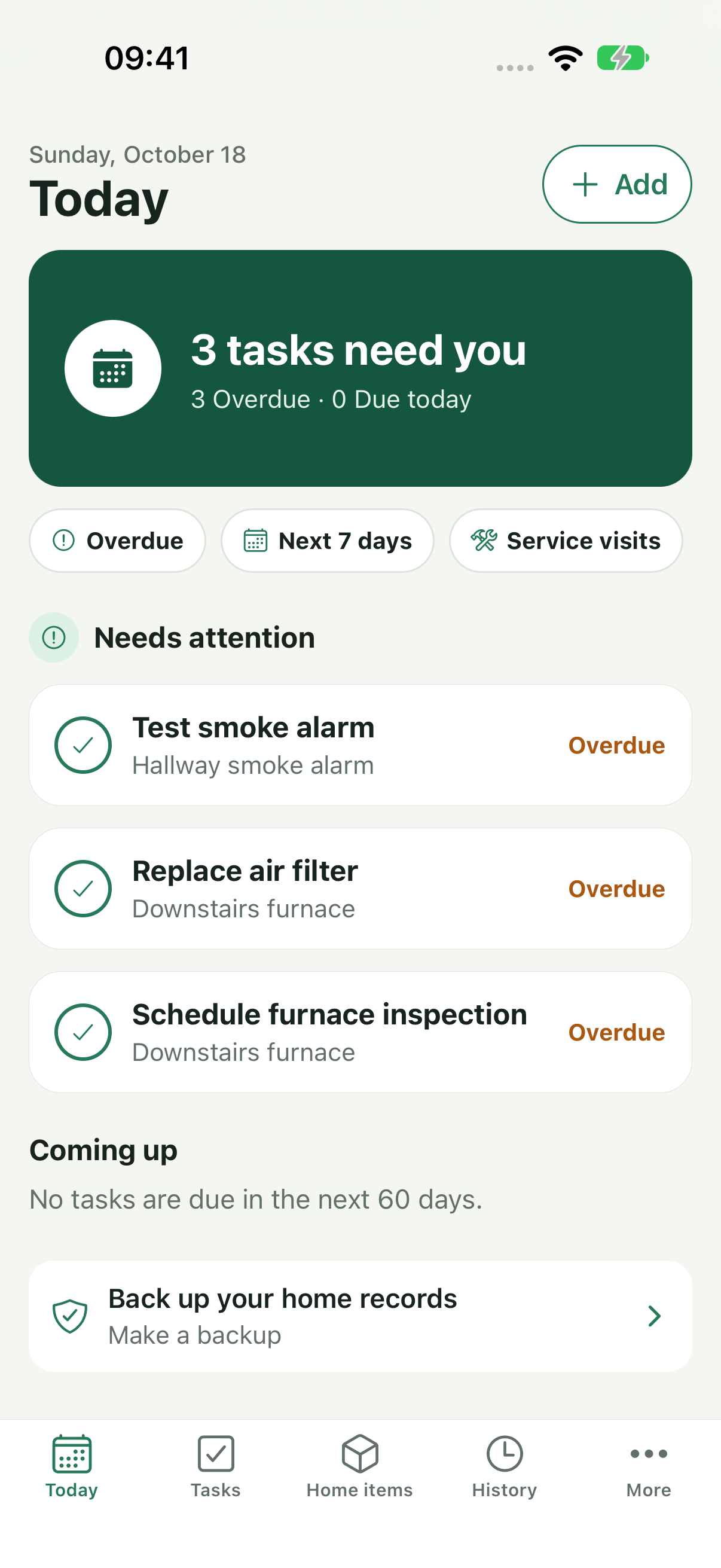
From the small recurring jobs to your most important equipment, TMIGA HomeKeeper gives every part of your home a place.
See overdue, due-today, and upcoming work at a glance. Flexible schedules and reminders help you stay on track.
Mark work complete, skipped, or postponed and save a note so you remember what happened and when.
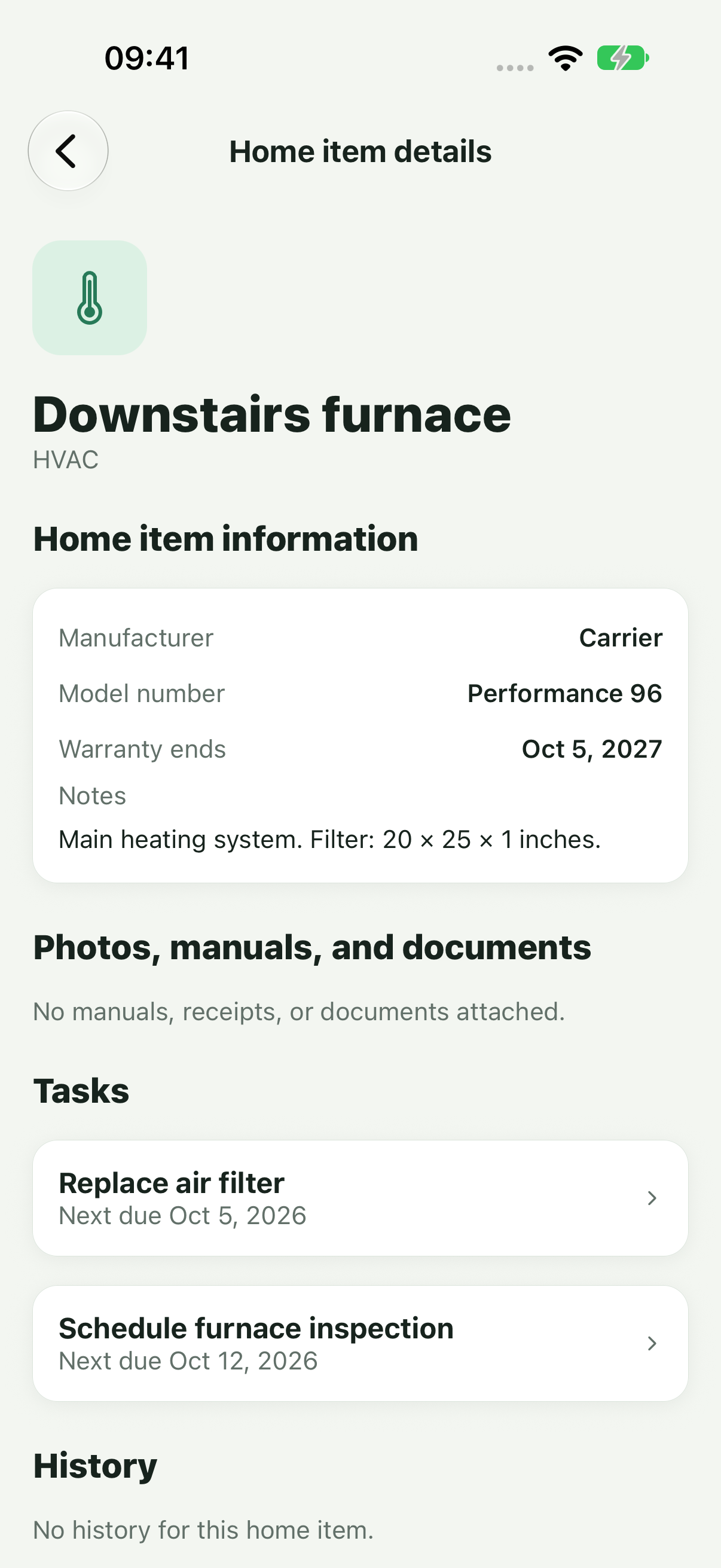
Keep appliances and other home items organized, with model and serial numbers, warranty dates, photos, manuals, receipts, and service records.
YOUR HOME, IN CONTEXT
Keep the details you need when you are troubleshooting, booking service, or preparing to sell an appliance.
A TASK THAT FITS YOUR LIFE
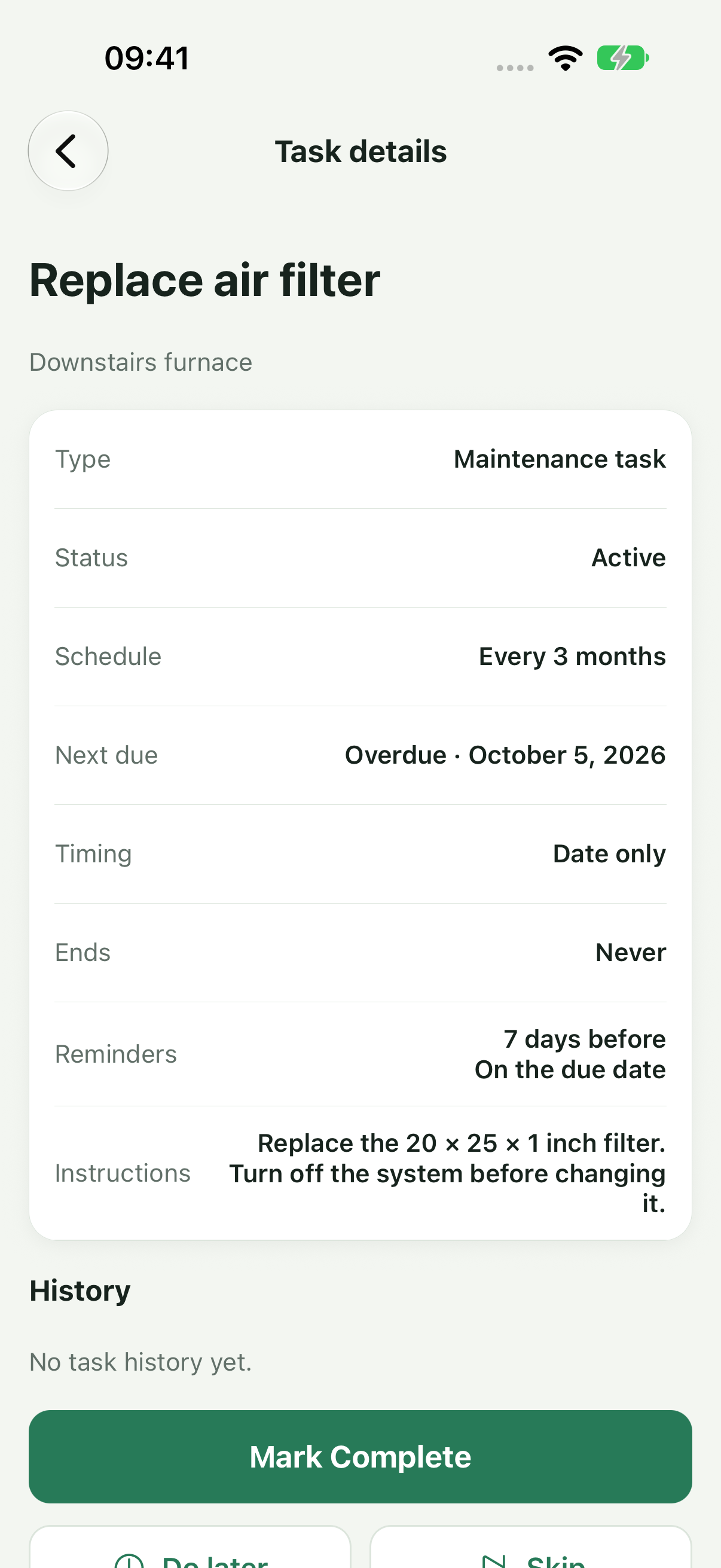
Give recurring maintenance a schedule, reminders, instructions, and a history that stays with the home item.
BACKUP AND RESTORE
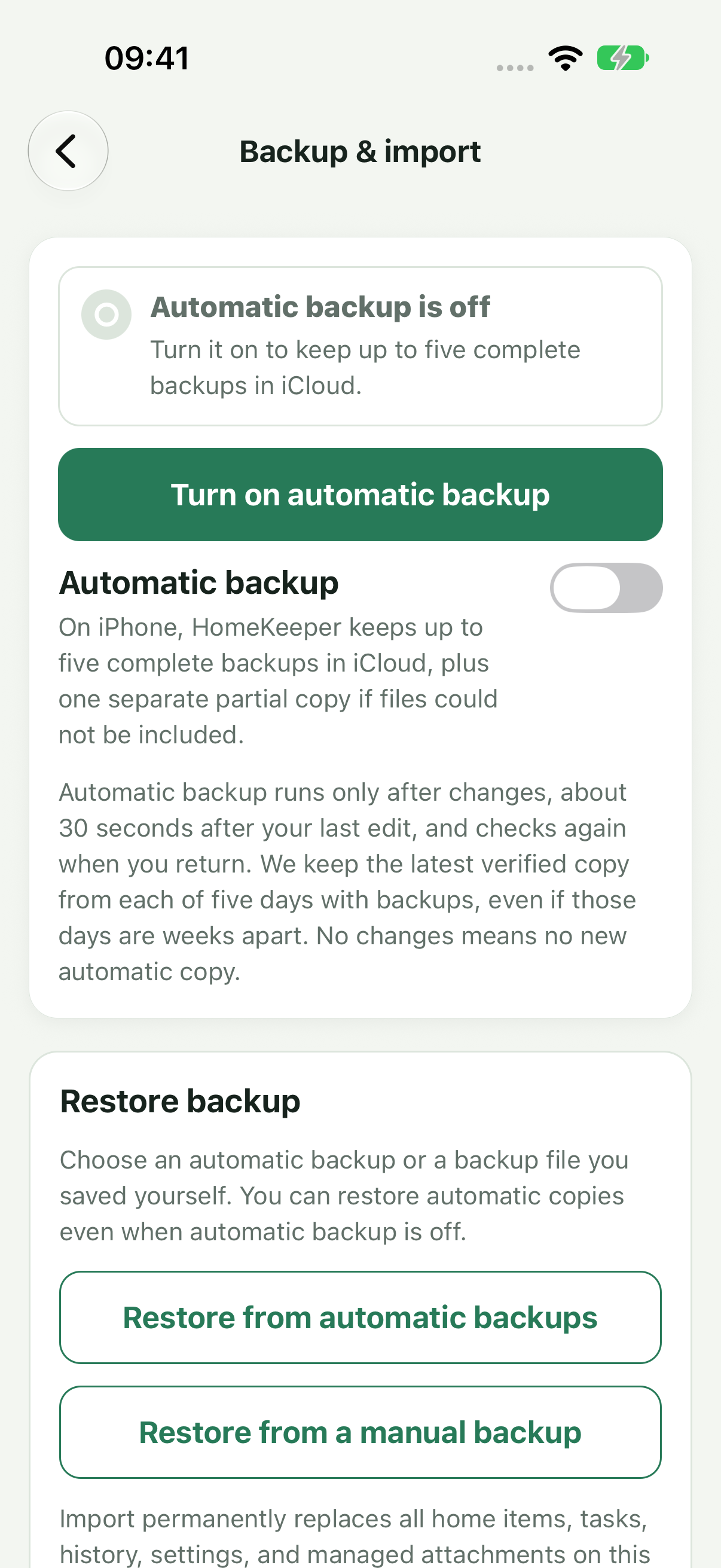
Turn on optional automatic backups to your own iCloud Drive, or save a manual backup to keep or share. The app does not send your home records, backup contents, or backup password to TMIGA.
PRIVATE BY DEFAULT
TMIGA HomeKeeper stores your maintenance information on your device. No TMIGA account is required. Label recognition happens on your device, not on a TMIGA server.
Backups stay with the storage provider or person you choose. Password protection is optional; keep the password somewhere safe because TMIGA cannot recover it.
Read the Privacy PolicyHELP & SUPPORT
For support, feedback, or a question about TMIGA HomeKeeper, email support@tmiga.com.
Enable reminders in More → Reminders, then select advance notice for your tasks. For date-only tasks, reminders use the time set in the app; tasks with an appointment time use that time instead.
Go to More → Export & backup. Automatic backup is optional and saves directly to your own iCloud Drive, separately from a whole-iPhone backup. HomeKeeper checks when you open or return to the app. Changed records are backed up after about 30 seconds without another edit, with another check when you return; without changes, no new automatic copy is created. Timing and upload depend on connectivity, available storage, and device settings. Check the backup status for iCloud upload confirmation or errors. You can also save or share a manual backup. Password protection is optional; keep its password safe if you use one. Restoring replaces current app data, not merges it.
Install TMIGA HomeKeeper and sign in to the same Apple Account with iCloud Drive enabled. The app can look for your existing automatic backups and offer a restore. You can also choose Restore from automatic backups or Restore from a manual backup in the backup screen. A password is required only if that backup is password protected. You need an existing backup to recover records; backup and restore are not live sync between phones.
The free version lets you create up to 3 active home items and 10 active tasks, including service visits. Label scanning, reminders, backup and restore, and export remain available without Pro. Pro is a one-time purchase that unlocks unlimited home items and tasks, with no subscription. The app shows Apple's current price before purchase. Pro does not include extra iCloud storage or a promise of future cloud services; iCloud storage is an Apple product purchased separately through Apple.
Yes. In a home item's Details, scan a label or choose its photo to suggest information such as model and serial number. Review the result—small print, glare, and similar-looking characters can cause mistakes. You can keep the label photo and recognized text with the item. Scanning reads text on your device; it does not identify an appliance from its appearance or send the photo to TMIGA.
Use More → Delete all data to remove the app’s local data. This cannot be undone. Separately delete any backup files you created if you no longer want to retain them.
One place for the things your home needs.
● Coming soon on theApp Store